v0.3.0 Binaries for macOS and Linux

The app you desire, live and yours.

Member sites, internal tools or any web app, built by your coding agent with sign-in, email, scheduled jobs and an admin already in place.

For your coding agent

Install Effortless from effortless.run. Then build a site for local meetups: groups post events with a cover image and a number of places, people sign up to save a place, and everyone going gets a reminder email the day before.

Your agent builds it on the plan you already pay for. No credits, no hosted editor, nothing to export.

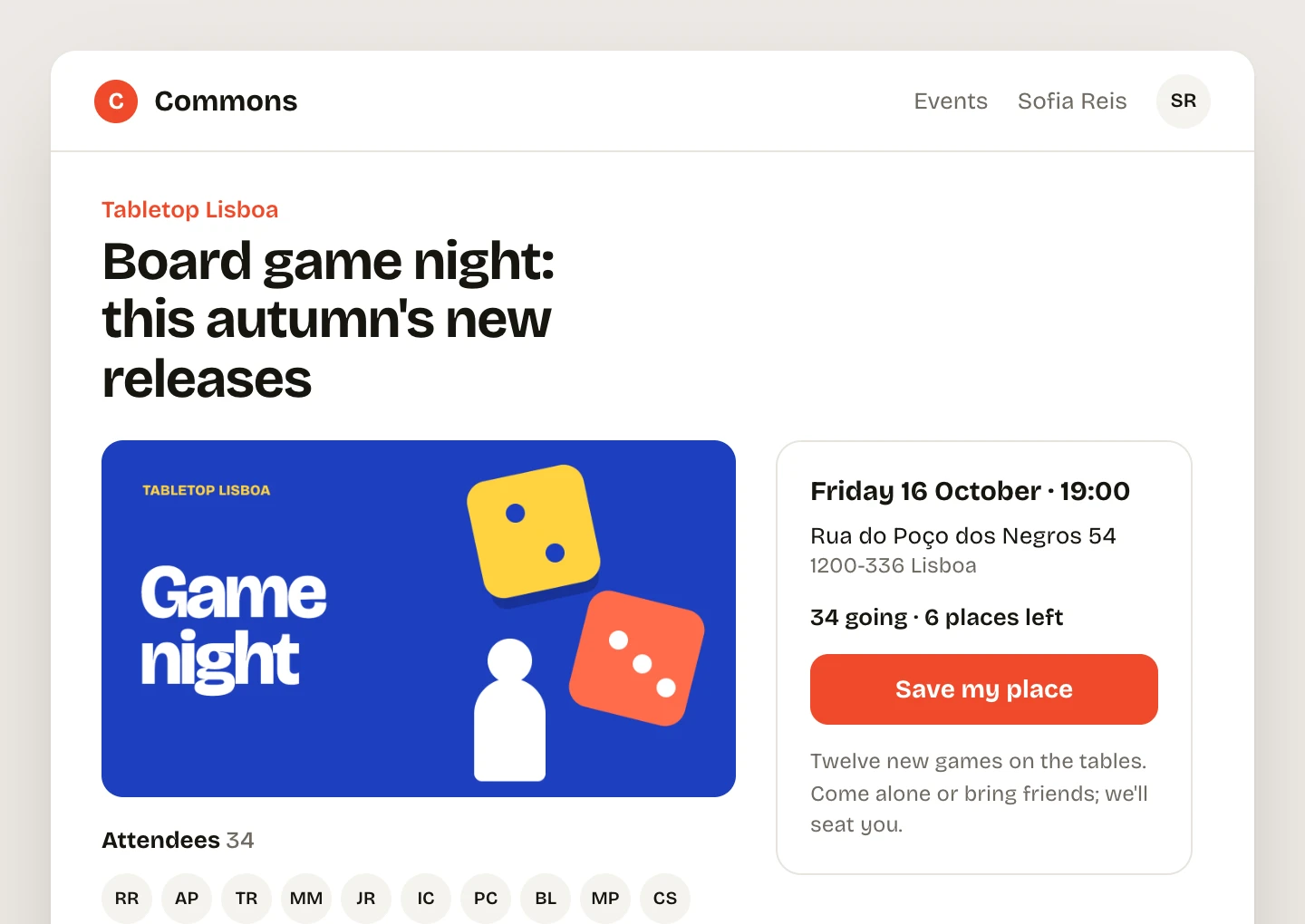
The event page that prompt built, signed in as the member Sofia Reis: Board game night, its cover, the date and address, 34 going and 6 places left, a Save my place button and the attendees.
The event page that prompt built, signed in as a member.

You can design the app. The backend is what stops it.

Sign-in, password reset, emails, a database, an admin, hosting. Hosted builders do it for you and keep it: the app lives in their editor, your members' data in their cloud, and the bill in their credits.

Effortless gives your coding agent all of it in one program, so the app you design is the app that runs, on your server. It is made for people who design the app and direct an agent to build it.

  1. 1

    Paste the prompt into your coding agent.

    It installs Effortless and builds the first version, with sign-in already working.

  2. 2

    Ask for changes in plain sentences.

    After each one it runs its checks and tests, and fixes what they find before you look.

  3. 3

    Put it on your server.

    One more sentence deploys it. The files, the data and the bill are yours.

Member sites, with sign-in already working.

The sample is Commons, a site for local meetups. People sign up, save a place at an event, and hear from it by email. Each row is one sentence typed into a coding agent and what it produced.

Let anyone sign up with their name, email and a password.

Sign-up took one sentence. Sign-in, password reset and invitations came with the new project, with tests. Passwords need 8 characters, sign-in allows 10 tries per address every 15 minutes, and a reset link works once, for an hour.

  1. Sign up
  2. Sign in
  3. Forgot
  4. Reset email
Join Commons: name, email and a password of at least 8 characters. The sign-in card, with a Forgot your password link. Reset your password: If that address has an account, a reset link is on its way. The reset email from Commons: the link works once and expires in an hour.

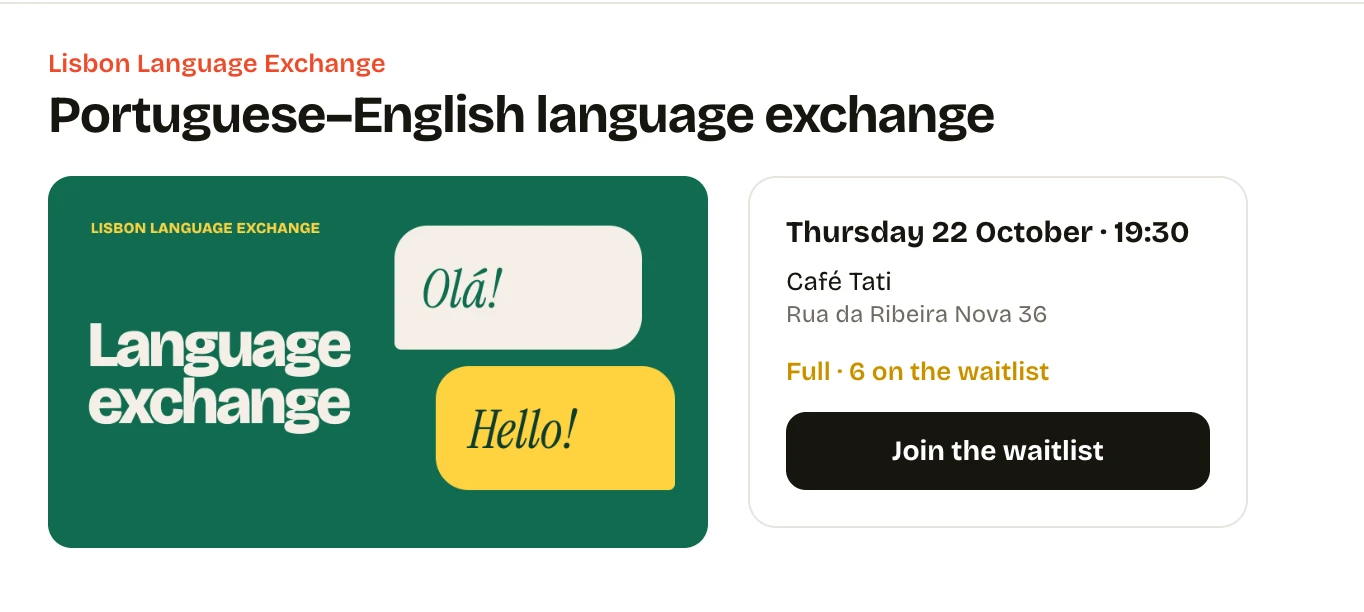
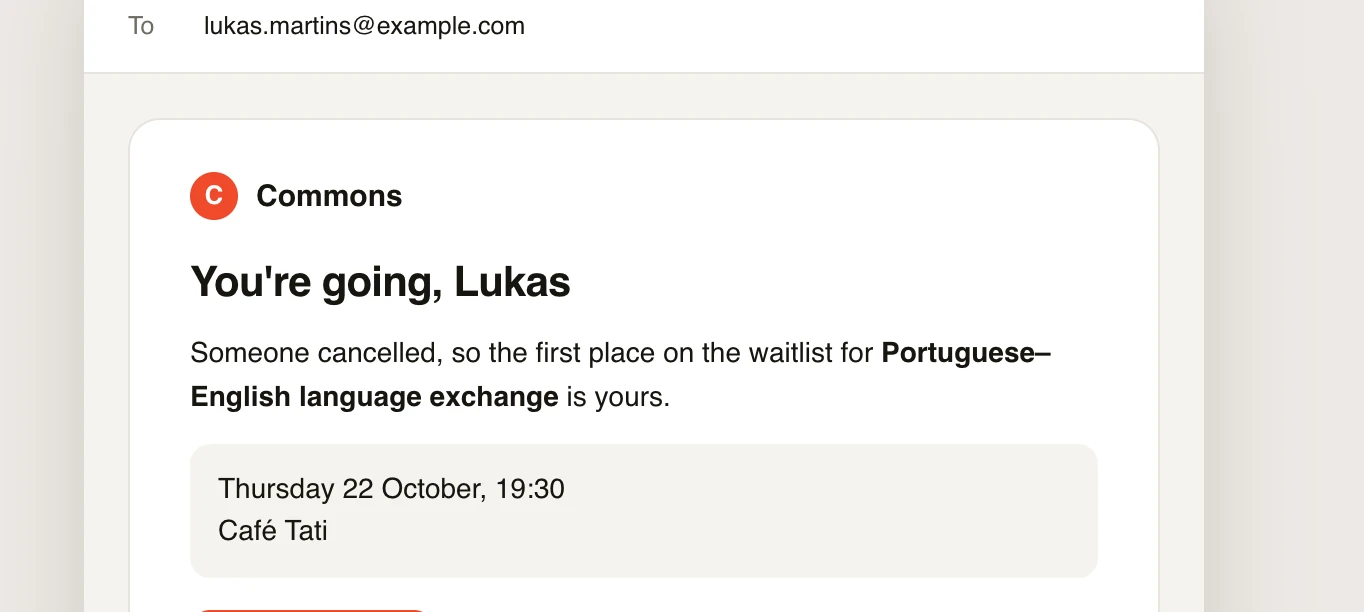
When an event is full, put new people on a waitlist. If someone cancels, give their place to the first person waiting and email them.

The agent wrote a test that fills an event, cancels a place and checks who gets the email.

  1. Full
  2. A place opens
The language exchange event is full, with 6 on the waitlist and a Join the waitlist button. The email to Lukas: You're going. Someone cancelled, so the first place on the waitlist is his.

The day before each event, email everyone going a reminder with the address.

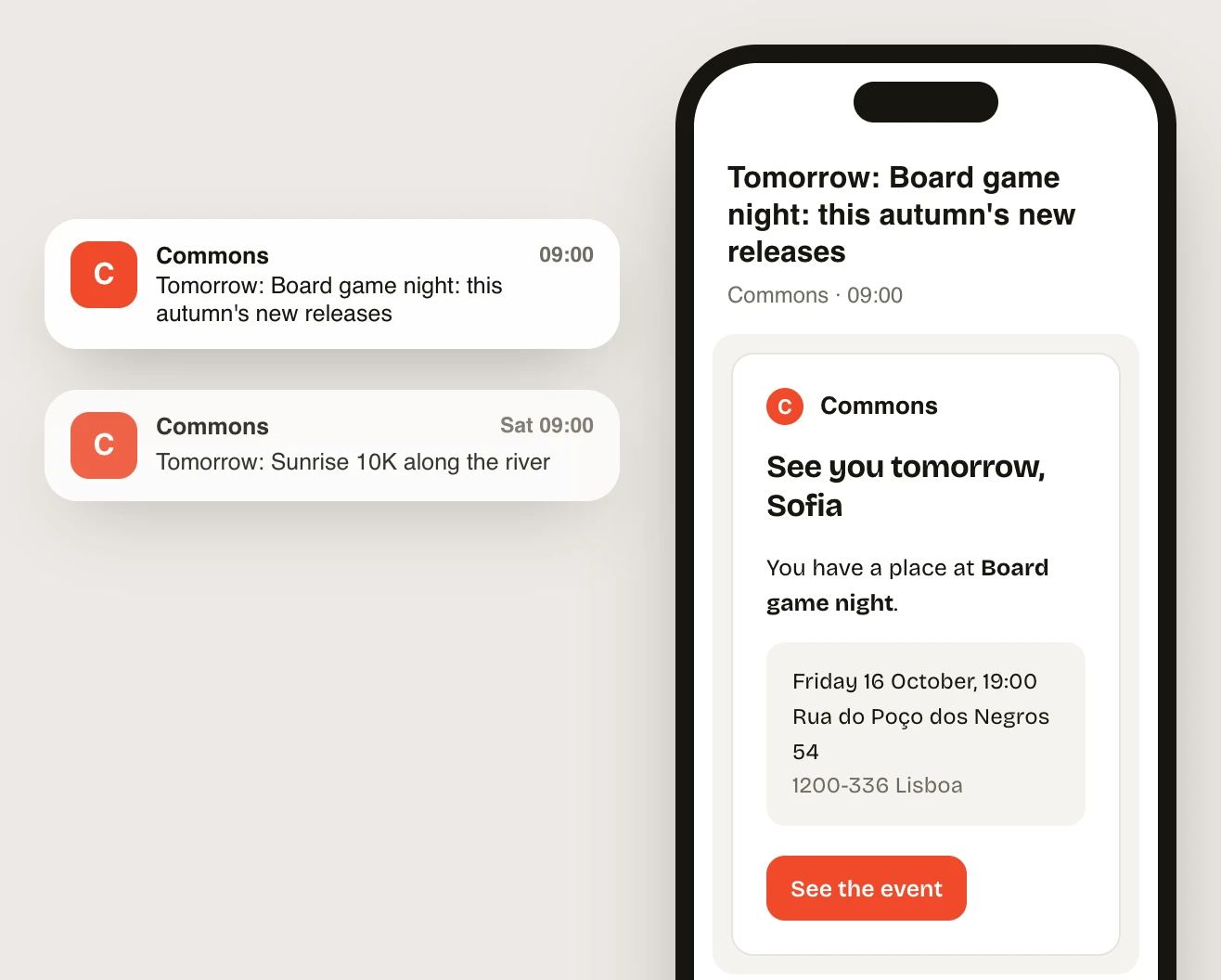
A scheduled job and an email template you preview in the browser while you design it. Run against tomorrow's board game night, it queued 34 emails, one for each person going. Each run is a row in the admin.

A phone with two Commons notifications and the reminder email: See you tomorrow, Sofia, with the date, the address and a See the event button.

Your design system, and the agent keeps to it.

Ask once for your colors, type and parts. The agent puts colors and type in one tokens file, makes buttons, fields, notices, the nav and cards into components, and shows them together on a styleguide page in the app. New features are built from those parts, so they look like the rest of the app.

Make it ours: tomato red and Bricolage Grotesque. Put the buttons, fields, notices, the nav and the event card on a styleguide page.

Each part is one file in app/components, and the styleguide is a page in the app that shows them all. Change a token and every page follows: the second frame is the same styleguide after changing --color-brand.

  1. #ef4a2b
  2. #1d3fbf
tokens.css and the list of components beside the Commons styleguide: ui-button in four kinds, ui-field with an error, ui-notice, the site-bar and event cards, in tomato red. The same styleguide after changing --color-brand to blue: the primary button, the field error and the logo are blue.

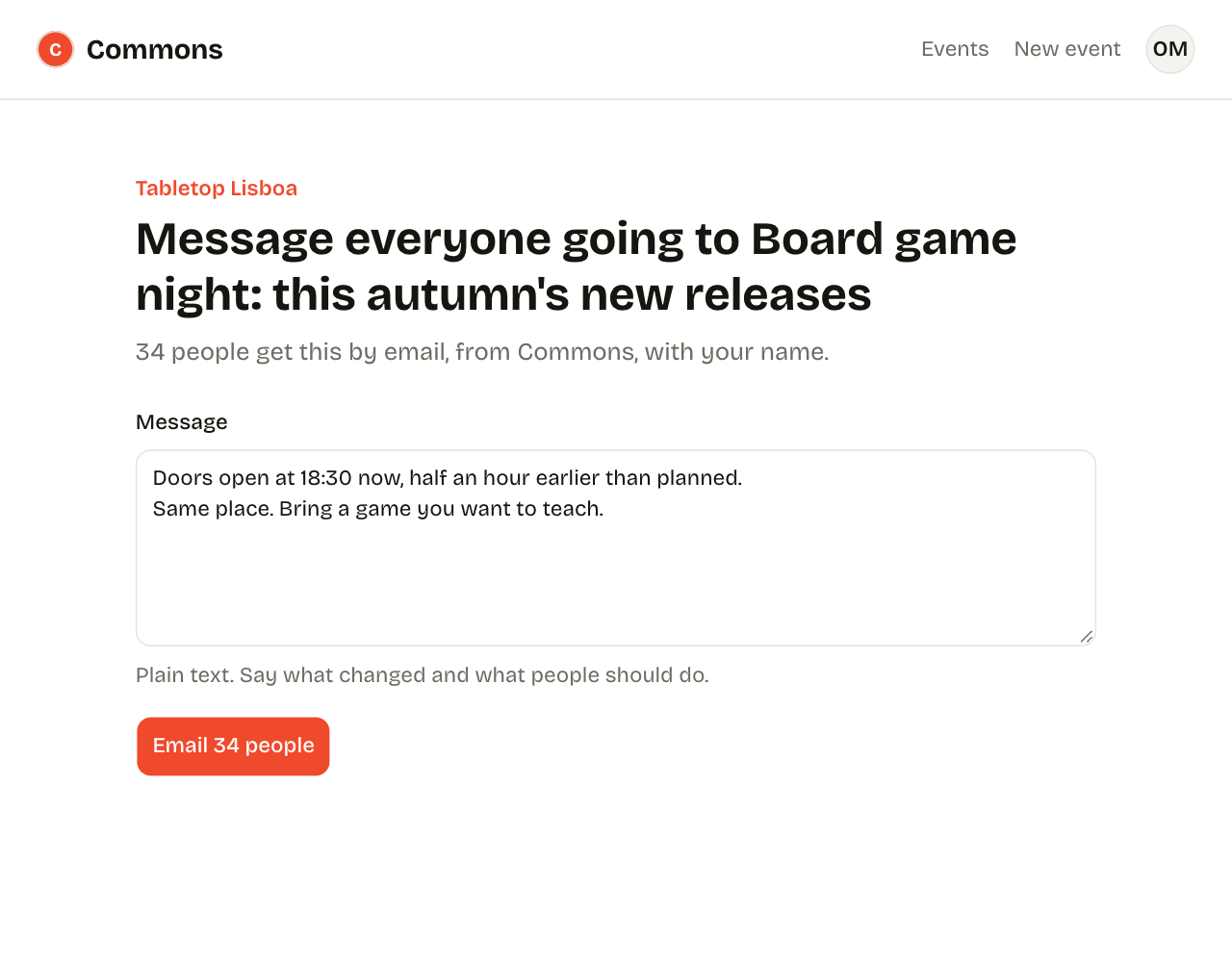
Let organizers email everyone going to an event.

The agent built the page from parts the styleguide already had: the nav, a field and a button. The project's AGENTS.md says to, and a test checks every page: a button or field written by hand fails effortless test and names the page and the part to use instead.

  1. The new page
  2. If a page skips the parts
The new message page, with its parts labelled: site-bar at the top, ui-field for the message and ui-button for Email 34 people. The design rules in AGENTS.md above effortless test output: every page uses the styleguide's buttons and fields fails, because /events/1/message has a button outside app/components.

Check every page at phone width and fix what wraps.

The agent opens each page at phone width and fixes the layout. To try it on your own phone, effortless serve --public serves it through a Cloudflare tunnel.

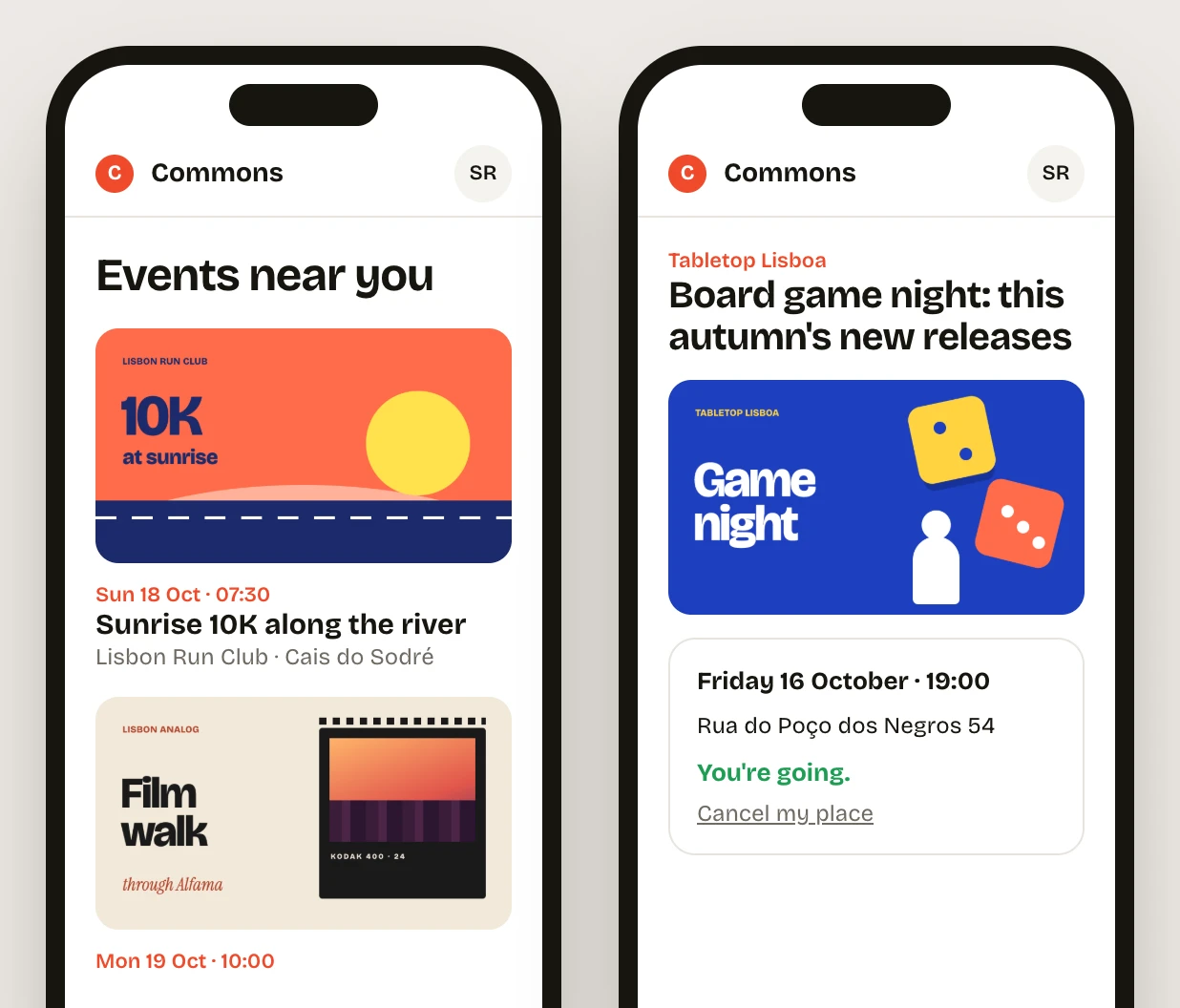
Commons on two phones: the list of events with poster covers, and an event page saying You're going, with Cancel my place.

Internal tools your team can trust with real data.

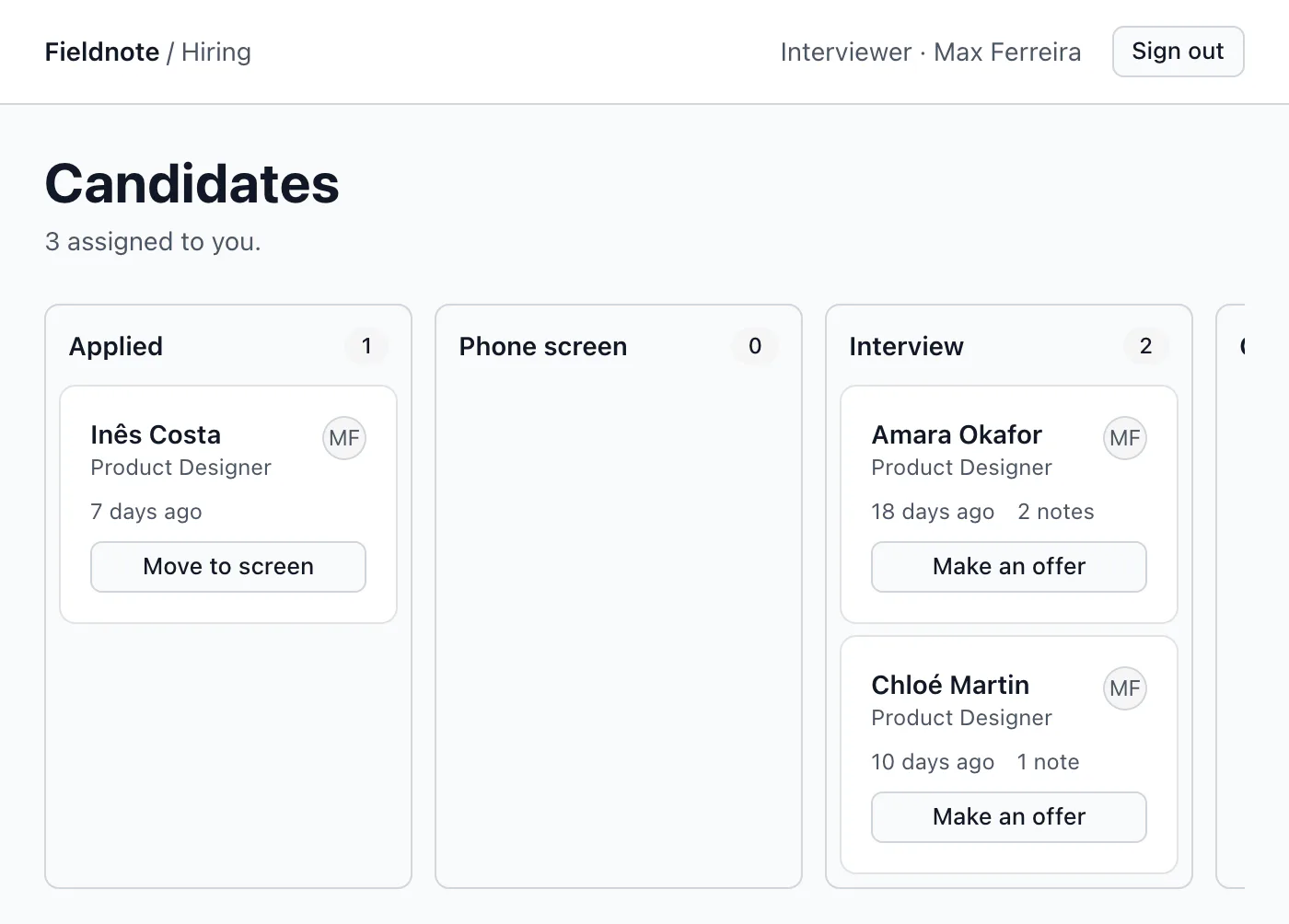
The second sample is Fieldnote's hiring board: a small product company tracks its candidates in a tool built the same way, with roles deciding who sees what.

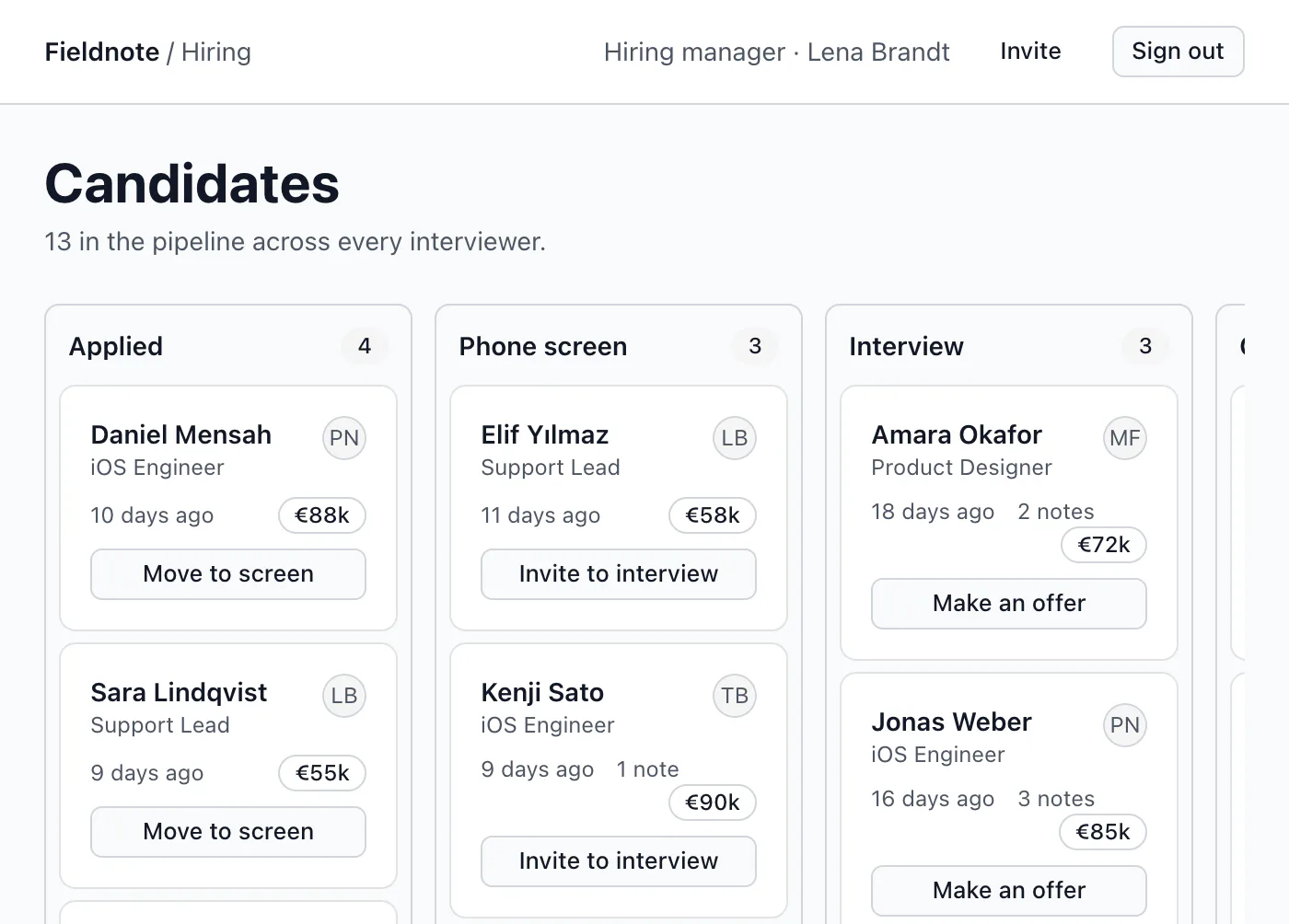
Build a hiring board: candidates in columns by stage, their CVs, and notes from each interviewer. Interviewers only see the candidates assigned to them.

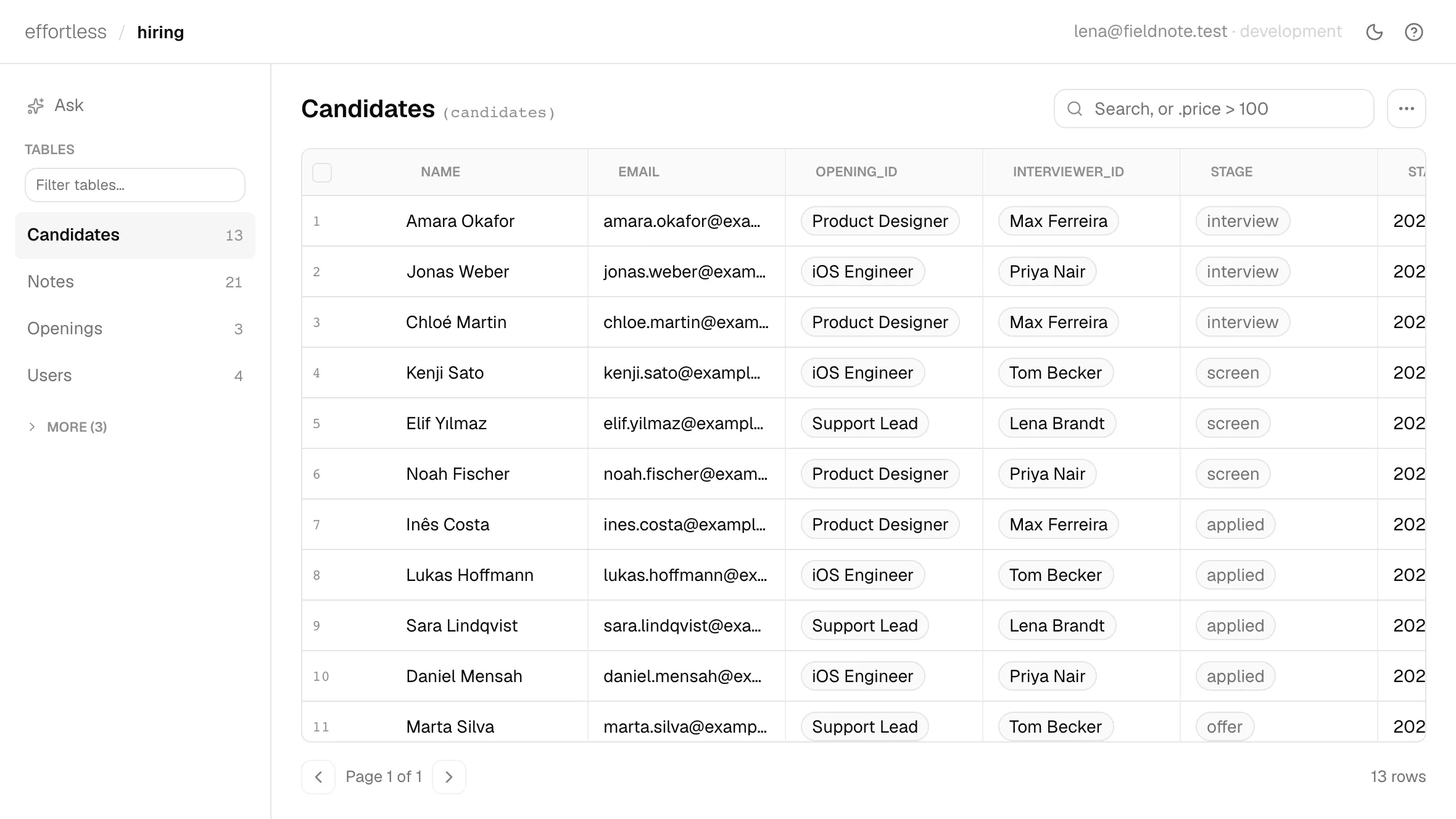
Lena, the hiring manager, sees all 13 candidates. Max, an interviewer, sees his 3. Moving a card to Interview emails the candidate. Tests check both views, and that Max cannot move someone else's candidate.

  1. Hiring manager
  2. Interviewer
Fieldnote's hiring board as the hiring manager: columns for Applied, Phone screen, Interview and Offer, each card with a name, an opening, days in stage, notes and a move button. The same board as the interviewer Max Ferreira: only his three candidates.

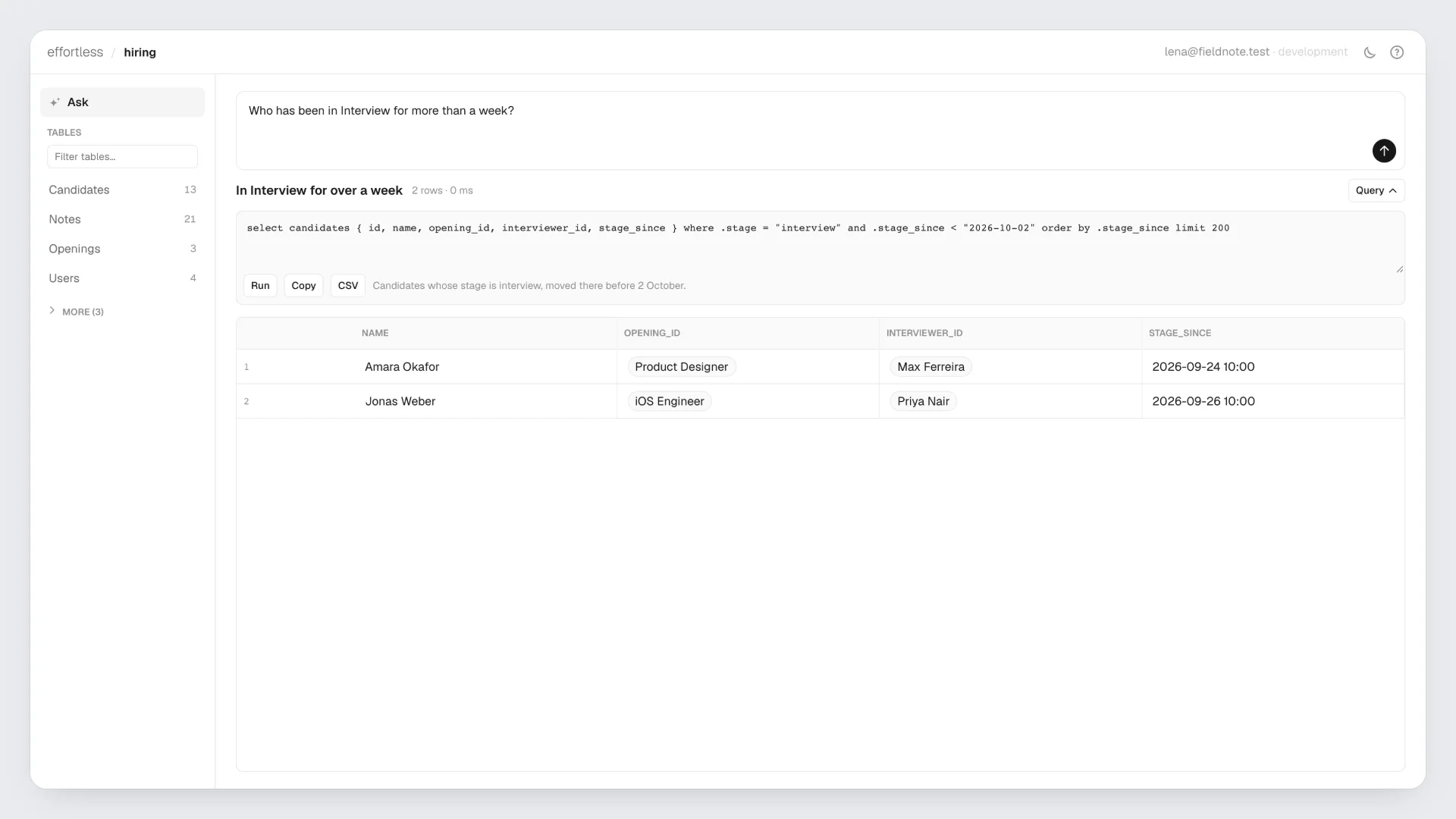
Who has been in Interview for more than a week?

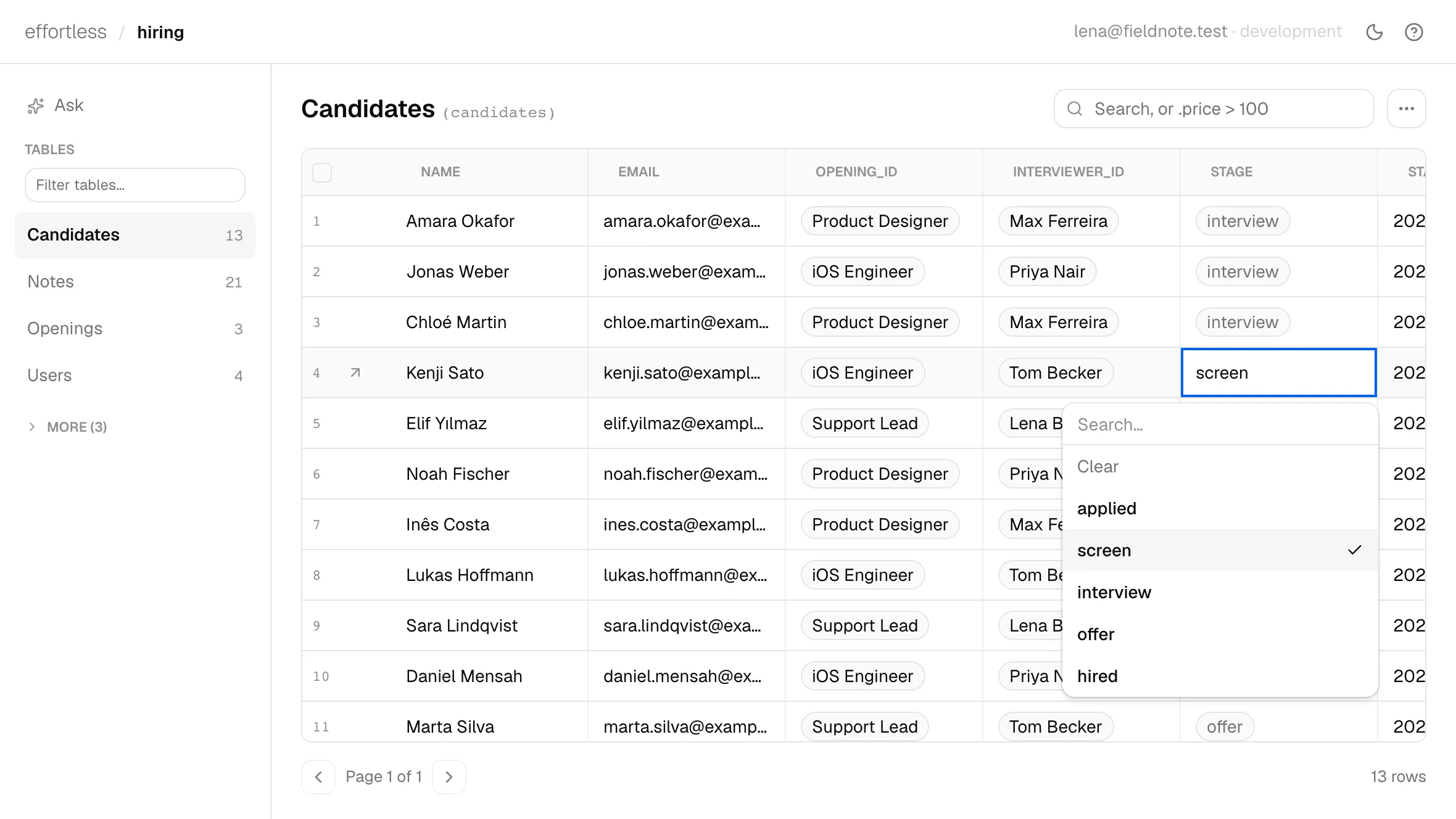
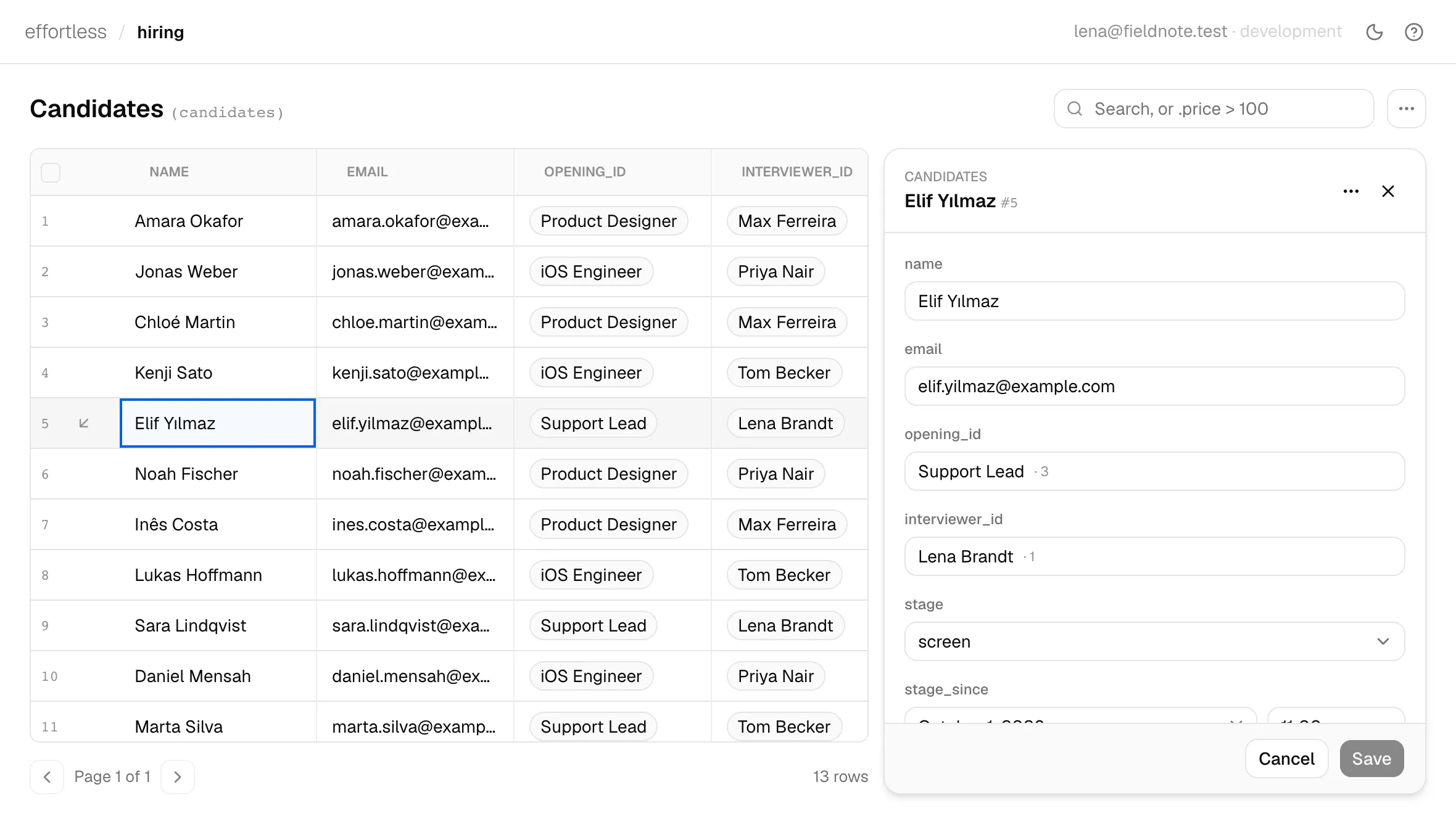
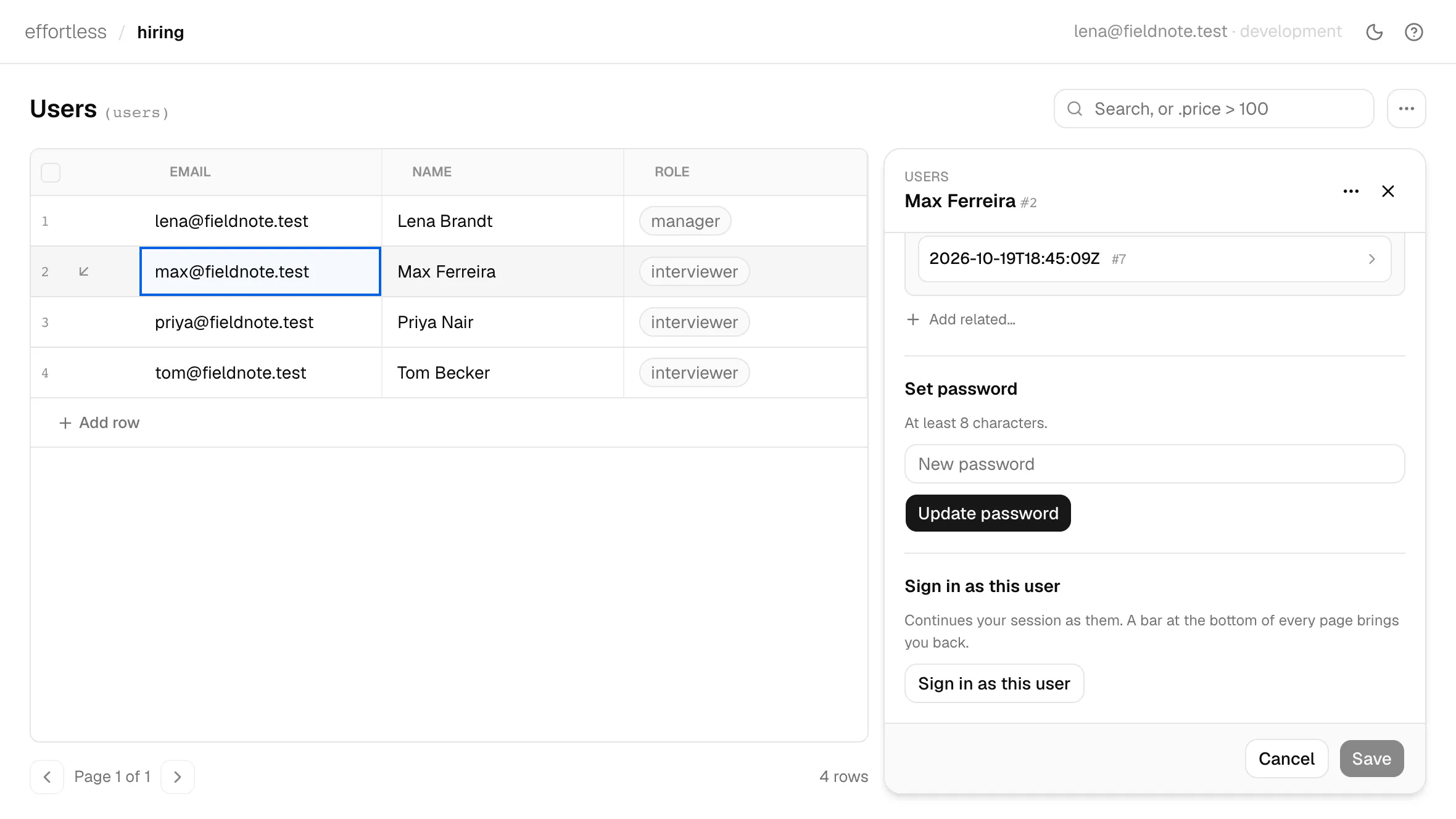
Typed into the admin's Ask box. Every project has an admin at /_admin, built from its tables. A question in plain words becomes one read-only query, checked against the schema, and returns the rows with the query beside them. Open a row to edit it, replace a file, or sign in as that user.

  1. Ask
  2. Open a row
The admin's Ask on the hiring data: the question, the query it wrote, and two candidates, Amara Okafor and Jonas Weber. The candidates table with Elif Yılmaz's row open in a drawer: opening, stage, CV file and email.

Ask needs an AI API key: the Vercel AI Gateway, or any OpenAI-compatible provider. Also in the program: file and image uploads, a job queue, AI features in your own pages, and a scrubbed copy of production to work on locally. All of it in the reference.

It checks its own work.

Coding agents write React, Svelte and Tailwind by habit, and the habit slips into a framework they have not seen before. When it does, effortless check stops it with the line, the fix and the docs section to read. The agent fixes it before you open the page, so what you review already works.

Show “No events yet.” when there are no upcoming events.

The agent wrote the line the way Svelte would, and fixed it on its next step. Every project carries an AGENTS.md with the mistakes agents make here, and the reference ships in the program, so it matches the version you run.

  1. First try
  2. check stops it
  3. Fixed
The agent’s first try: line 10 of routes/index.x.html uses a Svelte {#if} block, highlighted in red. effortless check stops it: line 10 is another template language’s block; put @if on the element. The fixed line, with @if on the paragraph, highlighted in green; check finds no issues and all 11 tests pass.

Setting it up with Claude Code, Codex, Cursor and others

Yours from the first file.

There is no Effortless account. The app is a folder on your computer and runs on your server, with the database, sign-in, email and admin inside it.

The commons folder on your computer, with app, routes, public/css/tokens.css, tests and AGENTS.md; an arrow labelled deploy to a server card for commons with a volume holding app.db and uploads and the daily 09:00 reminders, online; an arrow labelled https to a member's phone showing the event page.

On your computer

A folder of plain files your agent edits. Put it in git, open it in any editor, or hand it to a developer.

On your server

One service and one volume for the database and uploads. Your host bills you, and you can move to any host that runs a container.

For your members

They sign in to your app. Their accounts, RSVPs and emails live in your database, not in someone else's service.

Not needed: an Effortless account, credits or seats, a second backend, a database key in the browser, or an export to leave. Claude Code, Codex, Cursor and Copilot all work with it, on macOS with Apple silicon or Linux x86_64.

Online on your server, in one sentence.

Ask your agent in one sentence. A deploy is Effortless and one volume for the database and uploads. The example here is Railway, which we recommend; any host that runs a container works the same way.

Settings, scaling and errors in production

Deploy this project to Railway: one service from the effortless binary, one volume for the database and uploads, my address as the superadmin, and effortless migrate on each deploy. Tell me the URL when it is up.

  • More traffic

    A bigger machine and a higher WORKERS, with no code change.

  • Uploads

    On the volume. Railway Buckets are next; Cloudflare R2 works today.

  • Several machines

    Turso support is next. Until then, scale up.

  • Before 1.0

    APIs change between releases. The release notes name each change, and check names lines that use a removed API. The source opens at 1.0.

Start with one prompt.

Your members sign in to an app you designed, running on your server. Paste the prompt into your coding agent, or run the commands yourself.

  1. 1

    Paste the prompt

    Your agent installs Effortless and builds the first version.

  2. 2

    Ask for changes

    In plain sentences; it checks its own work after each one.

  3. 3

    Put it online

    One more sentence deploys it to your server.

For your coding agent

Install Effortless from effortless.run. Then build a site for local meetups: groups post events with a cover image and a number of places, people sign up to save a place, and everyone going gets a reminder email the day before.

Or in a terminal:

zsh
$ curl -fsSL https://effortless.run/install.sh | sh
Downloading effortless-darwin-arm64...
Installed: Effortless v0.3.0

$ effortless new commons && cd commons
$ ln -s AGENTS.md CLAUDE.md   # Claude Code reads CLAUDE.md
$ echo [email protected] >> .env   # your account opens /_admin
$ effortless serve
→ http://localhost:3000

The project contains AGENTS.md, a short guide for coding agents. The link points Claude Code at it; Codex, Cursor and Copilot read it as is. macOS on Apple silicon and Linux x86_64. Setting up each agent.

How it works, for whoever reviews the code.

The query language, schema changes, browser components and the commands the agent runs, with their real output.

How it works